
A new cybersecurity warning from the FBI has put millions of Microsoft 365 users on high alert. According to recent reports, cybercriminals are increasingly targeting popular Microsoft services such as Outlook, Teams, and OneDrive through sophisticated phishing attacks and account takeover scams. As remote work and cloud-based collaboration continue to grow, hackers are exploiting the trust users place in Microsoft’s ecosystem to steal sensitive data, login credentials, and financial information.
The alert comes at a time when businesses, students, and everyday users rely heavily on Microsoft tools for communication and file sharing. Security experts say attackers are now using advanced techniques powered by artificial intelligence, fake login pages, and multi-factor authentication bypass tools to gain access to accounts faster than ever before.
Why Outlook, Teams, and OneDrive Are Being Targeted
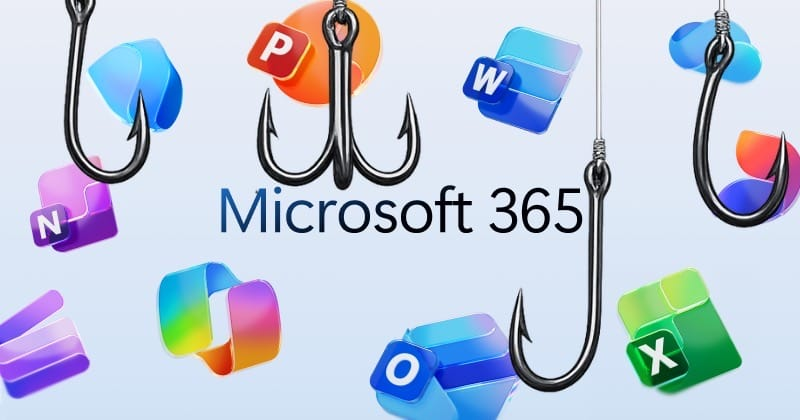
Cybercriminals often focus on platforms with massive global user bases, and Microsoft 365 is one of the biggest targets in the world. Outlook emails contain personal conversations, Teams holds business communications, and OneDrive stores valuable documents and files. A single compromised account can expose entire organizations to security risks.
Hackers are reportedly sending fake Microsoft security emails that appear legitimate. These emails may warn users about suspicious login attempts, expired passwords, or storage issues. Once users click the link, they are redirected to fraudulent Microsoft login pages designed to steal usernames and passwords.
In some cases, attackers are also impersonating coworkers or company IT departments through Teams messages. Because these messages appear inside trusted workplace systems, users are more likely to click malicious links without suspicion.
How the Scam Works

The latest phishing campaigns are becoming increasingly difficult to detect. Instead of poorly written spam emails, many scams now use professional branding, real company logos, and convincing language generated with AI tools.
A typical attack may follow these steps:
Fake Security Notification
Users receive an email claiming there is unusual activity on their Outlook or OneDrive account.
Phishing Login Page
The email includes a link to what looks like an official Microsoft sign-in page.
Credential Theft
Once login information is entered, hackers instantly capture the credentials.
Account Access
Attackers gain access to emails, cloud files, contacts, and even internal company systems.
Further Spread
Compromised accounts are then used to target coworkers, friends, or clients with additional phishing messages.
Security researchers warn that some groups are even using tools capable of bypassing certain multi-factor authentication protections, making these attacks even more dangerous.
Signs Your Microsoft Account Could Be Compromised
Users should watch for unusual activity involving their Outlook, Teams, or OneDrive accounts. Some common warning signs include:
- Password reset emails you did not request
- Unknown devices logged into your Microsoft account
- Missing or deleted OneDrive files
- Emails sent from your account without your knowledge
- Strange Teams messages sent to coworkers
- Login alerts from unfamiliar locations
If any of these signs appear, cybersecurity experts recommend changing passwords immediately and reviewing account security settings.
How to Protect Yourself From Microsoft 365 Scams
The FBI and cybersecurity professionals recommend several important steps to reduce risk.
Enable Strong Multi-Factor Authentication
While some attacks attempt to bypass MFA, enabling it still adds an important layer of protection. Authentication apps are generally safer than SMS verification codes.
Never Click Suspicious Links
Always verify email addresses carefully before clicking login links. Instead of using email links, manually type the Microsoft website into your browser.
Keep Software Updated
Security patches help protect against vulnerabilities that hackers may exploit.
Use Strong Unique Passwords
Avoid reusing passwords across multiple accounts. Password managers can help create and store secure credentials.
Monitor Account Activity
Microsoft provides account activity logs that show recent sign-ins and connected devices. Reviewing these regularly can help detect suspicious access early.
Businesses Face Growing Risks
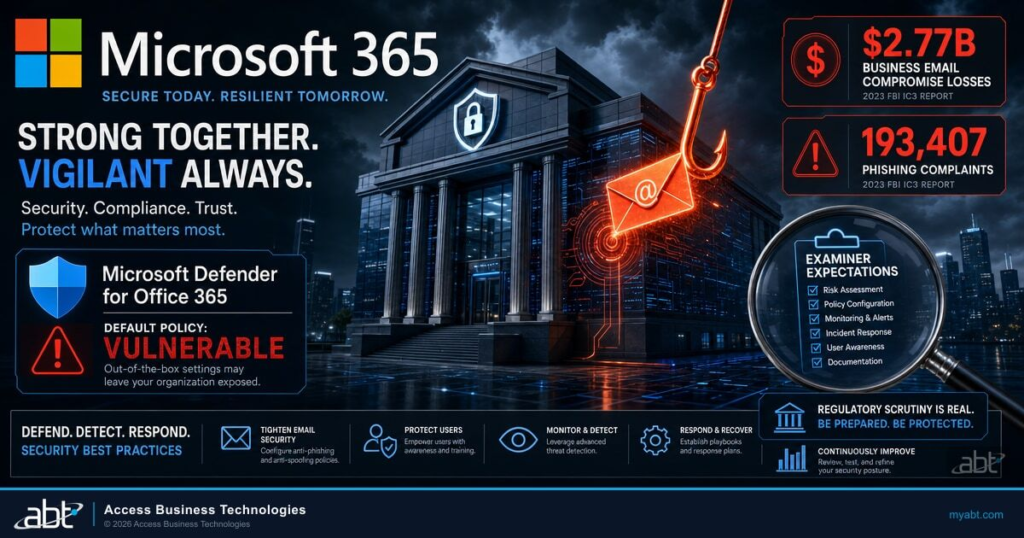
Organizations using Microsoft 365 face especially high risks because a single employee mistake can expose company-wide systems. Cybercriminal groups often target businesses through employee phishing campaigns, fake invoices, and impersonation attacks.
Experts say companies should invest in cybersecurity awareness training, endpoint protection, and email filtering systems to reduce the likelihood of successful attacks. IT teams are also being encouraged to monitor Teams communications more closely, as attackers increasingly use collaboration tools to spread malware and phishing links internally.
- Vivo T5 5G Review: A Detailed Look at Its Features, Performance and Value

- Is SHEIN Clothing Good Quality? What You Need to Know Before Buying

- Huawei Mate XT 2 Explained: Everything You Need to Know About the New Tri-Fold

- 10 Unusual Watches at Analog:Shift You’ll Want to See in August 2026

- 15 Best Women’s Fragrances for 2026: From Affordable to Luxury Picks

The Bigger Cybersecurity Picture
The FBI warning reflects a broader rise in cloud-based cybercrime. As more personal and professional data moves online, attackers are adapting quickly with smarter tactics and more convincing scams.
AI-generated phishing emails, deepfake voice scams, and automated hacking tools are making cyber threats more sophisticated than ever before. Even experienced users can fall victim if they are distracted or unaware of the latest tactics.
Cybersecurity experts believe that user awareness remains one of the strongest defenses against phishing attacks. Staying informed, double-checking suspicious messages, and practicing good password hygiene can significantly reduce the chances of becoming a victim.
FAQs
1. What is the new FBI cyber alert about?
The FBI recently warned users about sophisticated cyberattacks targeting Microsoft 365 services, including Outlook, Teams, and OneDrive. These attacks mainly involve phishing scams designed to steal login credentials and sensitive data.
2. Why are Outlook, Teams, and OneDrive being targeted?
These Microsoft platforms are widely used by businesses, students, and individuals worldwide. They contain emails, documents, cloud files, and workplace communications, making them valuable targets for hackers.
3. How do hackers attack Microsoft 365 users?
Attackers typically send fake emails or Teams messages pretending to be from Microsoft or company IT departments. These messages often contain phishing links that lead to fake login pages designed to steal usernames and passwords.